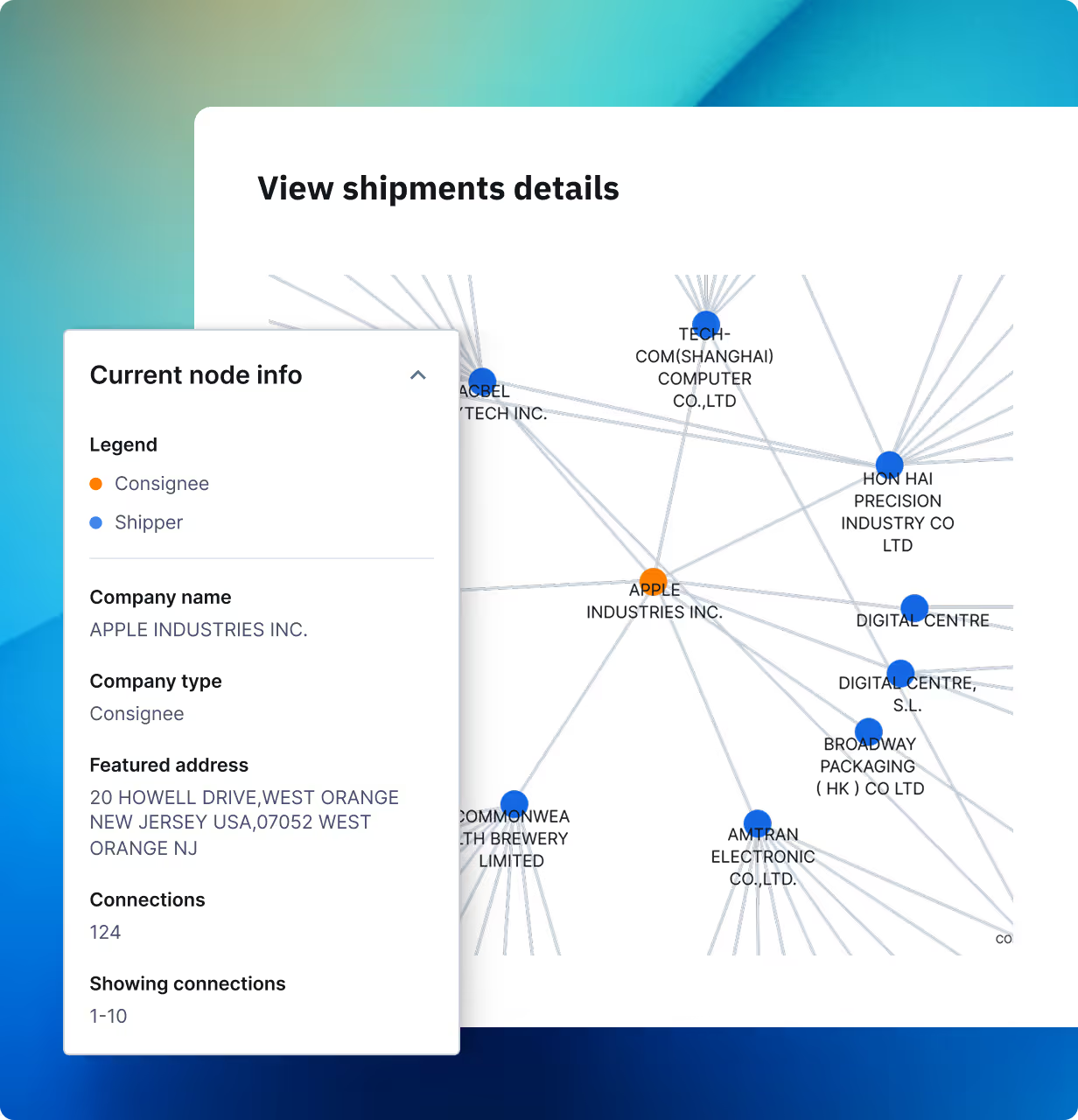
Build on the ImportGenius Trade Data API

Bring import and export data from 25+ countries into your own tools, dashboards and workflows. A daily-updated REST API with full documentation and enterprise-grade access.

Request format

https://data.importgenius.com/v2/shipments/?q={query}&access_token={accessToken}&country={country}&type={type}

Query structure

Basic query

Structure

https://data.importgenius.com/v2/shipments?q=searchField+modifier+searchTerm&access_token=accessToken&country=country&type=type

Example

https://data.importgenius.com/v2/shipments?q=shipname+exactly+adidas&access_token=example_token_123456789&country=us&type=im

Count-only query

Structure

&countOnly=true

Example

https://data.importgenius.com/v2/shipments?q=shipname+exactly+adidas&accesshttps://data.importgenius.com/v2/shipments?q=product+contains+walnuts&access_token=example_token_123456789&country=in&type=im&countOnly=true
_token=example_token_123456789&country=us&type=im

Multi-word query

Append to any Structure

https://data.importgenius.com/v2/shipments?q=searchField+modifier+searchTerm&access_token=accessToken&country=country&type=type

Example

https://data.importgenius.com/v2/shipments?q=product+contains+Māt+cài&access_token=example_token_123456789&country=vn&type=im

Query via zip code (US only)

Structure

https://data.importgenius.com/v2/shipments?q=zipcode+is+zipCode&access_token=accessToken&country=country&type=type

Example

https://data.importgenius.com/v2/shipments?q=zipcode+is+85258&access_token=example_token_123456789&country=us&type=im

Query via zip code range (US only)

Structure

https://data.importgenius.com/v2/shipments?q=zipcode+range+from+zipCodeFrom+to+zipCodeLast&access_token=accessToken&country=country&type=type

Example

https://data.importgenius.com/v2/shipments?q=product+contains+Māt+cài&access_token=example_token_123456789&country=vn&type=im

Query with date range

Structure

https://data.importgenius.com/v2/shipments?q=searchField+modifier+searchTerm/date+from+startDate+to+endDate&access_token=accessToken&country=country&type=type

Example

https://data.importgenius.com/v2/shipments?q=shipname+exactly+adidas/date+from+2023-01-27+to+2023-01-28&access_token=example_token_123456789&country=us&type=im

Pagination

Append after the search criteria

/page+from+page

Example

https://data.importgenius.com/v2/shipments?q=trademark+exactly+fjord/page+from+1&access_token=example_token_123456789&country=ru&type=im

Pagination with limit

Append after the search criteria

/page+from+page+limit+pageLimit

Example

https://data.importgenius.com/v1/shipments?q=trademark+exactly+fjord/page+from+1+limit+5&access_token=example_token_123456789&country=ru&type=im

Advanced query

Append after the search criteria

https://data.importgenius.com/v2/shipments?q=searchField+modifier+searchTerm/additionType+searchField+modifier+searchTerm&access_token=accessToken&country=country&type=type

Example

https://data.importgenius.com/v2/shipments?q=product+contains+Māt+cài&access_token=example_token_123456789&country=vn&type=im

Request parameters

accessToken
Y
String
Access token that confirms the request is valid
country
Y
String
Country where the shipment data will be pulled from. For example, enter vn for Vietnam. Depending on your requirements, a list of relevant country codes will be provided by our implementation team during integration.
type
N
String
Indicates if you are searching for import, im, or export, ex, data. By default, the type is import when not indicated.
searchField
Y
String
Determines the category of a keyword that you are searching for. For example, if you want to search using a keyword based on an importer’s name in the US, the searchField will be consname. The complete list of search fields will be provided by our implementation team during integration.
modifier
Y
String
Can be any of the following values: contains, exactly, any, starts_with, or ends_with
searchTerm
Y
String
Corresponds to your search keyword. For example, if the searchField is product, the searchTerm can be walnuts
additionType
N
String
Can be any of the following values: and, or, or not
countOnly
N
Boolean
If left blank, the default value is false which triggers the API to respond with the list of shipments that match the search criteria. Setting it to true will return only the count of shipments that match the search criteria.
zipCode
N
Boolean
Zip code coverage of the search. This feature is supported for US Shipments only
zipCodeFrom
N
Integer
Starting zip code if searching via a range. This feature is supported for US Shipments only
zipCodeLast
N
Integer
Ending zip code if searching via a range. This feature is supported for US Shipments only
startDate
N
Date
Starting date of a search’s date range
endDate
N
Date
Ending date of search’s date range
page
N
Integer
If left blank, the response will show you the first page. When the page number is identified, it determines from which page the response will be.

For example, if page is 4 and the default pageLimit is 10, Rows 31-40 will be returned.
pageLimit
N
Integer
Can be set to a maximum value of 10 and minimum value of 1. If left blank, the default value is 10. Otherwise, the number specified will determine the number of rows in the result.

Return parameters

total
String
Total number of available rows that of data that you can query
took
String
Amount of time it took to process the request (in seconds)
dateRange
String
Starting date from and end date to
rows
Object
Shipment manifest data in JSON Format, limited to a maximum of 10 rows per query. Each row contains granular information about the product details, company details, and notify information among others.
sid
Integer
String identifier
previous_balance
String
Your previous credit total before the request was processed
current_balance
String
Your current credit total after the request was processed
response
String
Important notifications from ImportGenius, such as reminders about your utilization
current_balance
String
Total amount of time it took before a response was sent back to the requestor (in seconds)

Stop relying on manual data updates that slow teams down

Teams waste time downloading spreadsheets, updating reports, and manually piecing together shipment data. These delays create blind spots: missed supplier changes, outdated shipment visibility, and inconsistent information across departments.

ImportGenius Enterprise API Integration solves this by feeding timely import/export activity directly into your internal systems. Whether you’re working in Salesforce, Power BI, procurement tools, or custom enterprise apps, your data stays continuously refreshed and aligned across your entire organization.


What you can do with our Enterprise API Integration

Checkmark

Feed new import/export activity into your internal dashboards in real time

Checkmark

Keep CRMs, procurement tools, and risk systems continuously updated

Checkmark

Replace spreadsheets with direct pipelines into your analytics environment

Checkmark

Give every team the same real-time view of suppliers, competitors, and shipments

Checkmark

Use flexible endpoints to power your own alerts, models, or dashboards

Checkmark

High-volume, enterprise-grade API designed for millions of records

Checkmark

Add API access with Business plans

Checkmark

How API integration works

ImportGenius provides a scalable, secure REST API that delivers shipment data, company information, and global trade insights directly into your internal systems.

Magnifying Glass

Contact sales

Discuss integration requirements, desired data coverage, and system workflows.

Lightbuld

Custom setup

Work with our implementation team to configure endpoints, access levels, and authentication.

Stars

Get your API token

Receive a secure access token to authenticate requests and begin pulling data programmatically.

gear

Dedicated support

Access integration support for onboarding, troubleshooting, and optimization.

API access included with Enterprise plans; available as an add-on for Business plans. Supports JSON responses, high-volume throughput, and continuous data refresh.
Who benefits most from this feature

For data & BI teams

Power dashboards, models, and analytics with live trade data pipelines—no manual imports required.

For procurement teams

Plug timely supplier, shipment, and risk data into internal tools for faster sourcing and disruption monitoring.

For sales & revenue teams

Enrich CRMs with updated company activity, lead intelligence, and shipment trends to improve targeting.

Manual updates slow you down. Automate your data pipeline today.

Trade activity changes daily, and spreadsheets can’t keep up. With ImportGenius API integration, you can automate data refreshes, eliminate manual processes, and ensure every team has real-time visibility. Bring shipment activity, supplier trends, and company profiles directly into your tools so you never operate on outdated information again.

Bring timely trade data into your systems

Automate workflows, power internal tools, and scale with enterprise-grade API delivery.

Decorative

Frequently asked questions

Is API access included in all plans?

Enterprise plans include full API access. Business plans—USA Pro, US–Mexico Pro, and North America Pro—can add API delivery as an optional upgrade.

What data can I access through the API?

You can pull shipment records, company information, metadata, and global trade insights, depending on your subscribed countries and permissions.

What format does the API use?

Standard REST API delivering JSON responses. CSV/Excel exports remain available within the platform.

Is the API suitable for high-volume use?

Yes. It’s designed for enterprise-scale throughput and large data pulls.

What support is available?

Enterprise users receive dedicated implementation support plus dedicated assistance for integration, troubleshooting, and optimization.