

Seamlessly export shipment data into Excel and CSV for deeper analysis
Download complete shipment records, company profiles, and custom reports in clean Excel and CSV formats—ready for offline analysis, presentations, and integration with your internal tools.
Rigid export limits shouldn’t slow down your analysis
Most trade data platforms restrict downloads or force you into clunky exports that require hours of cleanup. Arbitrary limits make it impossible to analyze full shipment histories, compare supplier lists, or build reports your teams actually need.
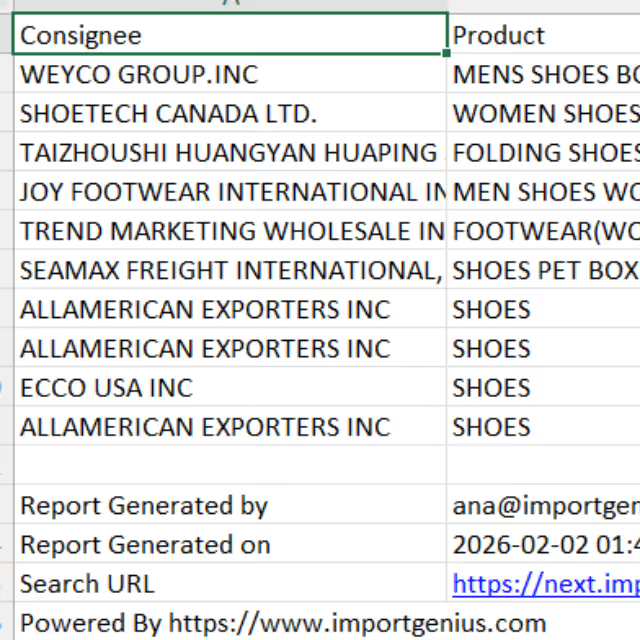
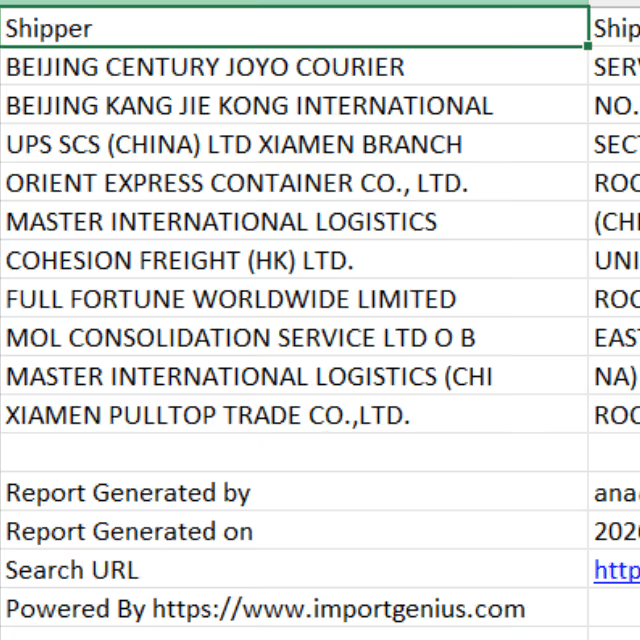
ImportGenius solves this with flexible Excel integration and CSV export options designed for real analysts. Export full records—including shippers, consignees, product descriptions, quantities, ports, dates, and more—without hitting restrictive caps or losing critical fields.


What you can do with Excel/CSV integration & data export

Download any search result Excel or CSV
Perform deep analysis in Excel, Google Sheets, or your preferred tool
Get all critical fields — Shipper, consignee, product details, weights, quantities, ports, dates, and more
Import CSV data directly into Power BI, Tableau, Looker, or custom dashboards
Export full company summaries, connections, and shipment activity
Generous download caps let you extract the data you need without friction
How Excel and CSV data export works
ImportGenius automatically formats shipment and company data for clean, ready-to-use Excel and CSV files—no manual cleanup required.

Run a search
Search by product, company, ports, etc.

Select shipments or companies
Choose the results you want to download

Click Download Results
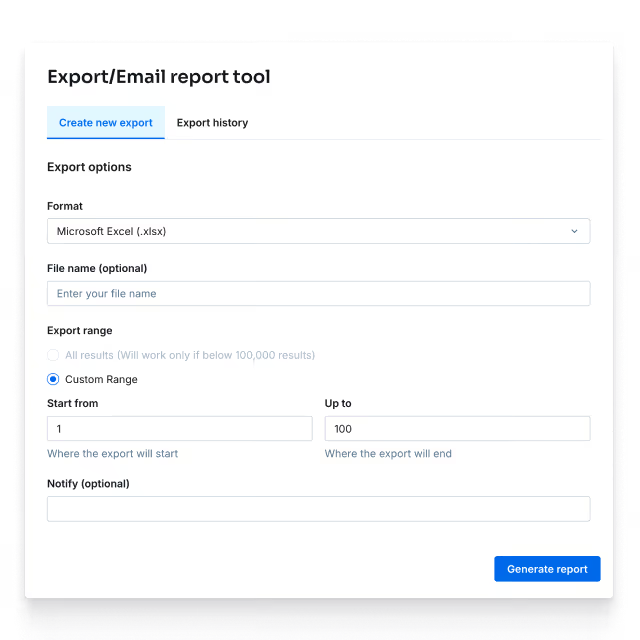
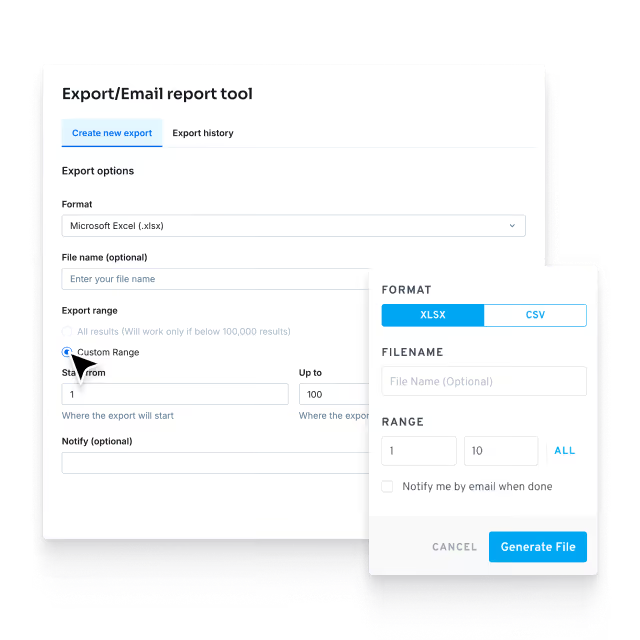
Pick Excel (.xlsx) or CSV (.csv) depending on your workflow.

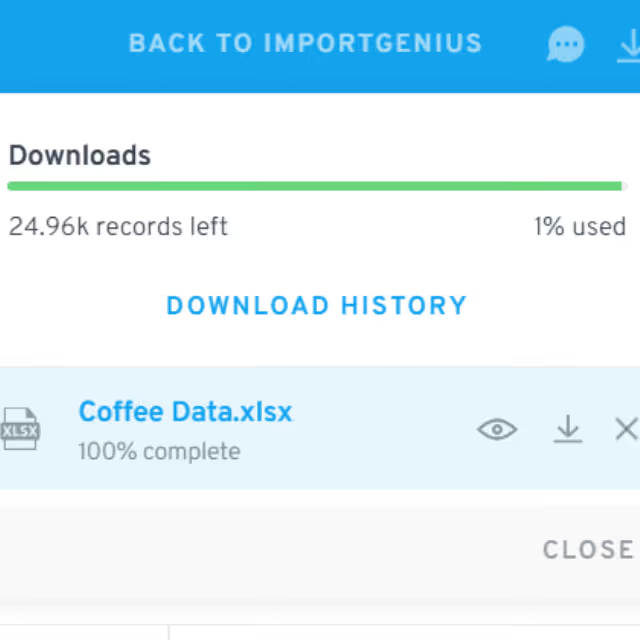
Download instantly
Name your file and click Generate File. Receive a clean, formatted file ready for offline modeling, reporting, or system integration.
Excel and CSV export available on all plans. Business Plans have the optional API delivery available for automated workflows.
Who benefits most from this feature


Stop fighting messy data exports, work with clean files instantly
Manual cleanup wastes hours and slows decisions. ImportGenius gives you clean, structured Excel and CSV exports with every critical shipment and company field included. Analyze, model, and present insights faster—without hitting restrictive limits or losing essential data.
Export trade data instantly.
Download clean shipments, company profiles, and analytics in Excel or CSV–ready for immediate use.

Frequently asked questions
You can export data in Excel (.xlsx) and CSV (.csv) formats.
Shipment data, company profiles, analytics reports, and custom dashboards depending on your subscription.
Yes. Exports include shipper/consignee details, product descriptions, weights, quantities, ports, dates, and other critical fields.
ImportGenius offers generous download limits far above typical industry caps.
Absolutely—CSV files are compatible with BI tools like Power BI, Tableau, Looker, Snowflake, and more.